
Leave the
Office Earlier
a news"E"letter from The Productivity
Pro - Laura Stack
|
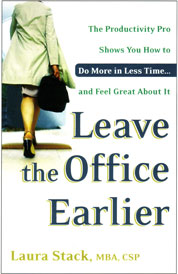
In Leave the Office
Earlier, The New York Times calls Leave the Office Earlier, "...the best of the bunch." The Library Journal, New York, NY named Leave the Office Earlier one of the "Best Business Books 2004"... Order this indispensable tool for the overworked and time challenged at Amazon.com and receive 20% off its retail price. More of The Productivity Pro's Resources |
|
|
| Laura in the News |
|
Busy,
but not burdened Leave
office on time -- that's the measure of your productivity Tips
on getting it all done earlier |
| Where
in the World is Laura? |
|
August September October November December 2006 Visit Laura's Calendar On-line for her complete availability. |
|
||
VOTE!Thank you to the HUNDREDS of you who responded with a suggestion for my new book title. Here are the seven finalists! Vote for your favorite! With thousands of subscribers, I'm sure we can get a relatively valid statistical sample of society if we get a big turnout. Please vote! 1. YOU'VE GOT ALL THE TIME IN THE WORLD! The Productivity Pro® Show You How To Make The Most Of It...At Home And In Life 2. BEATING BUSYNESS: The Productivity Pro® Shows You How To Get More Life Out Of Your Time...After You Leave The Office 3. GET MORE LIFE FOR YOUR TIME! The Productivity Pro® Shows You How To Do More At Home In Less Time...And Feel Great About It 4. WHERE DOES THE TIME GO? The Productivity Pro® Shows You How To Build Eight Pillars Of Personal Productivity To Support Your Frantic Lifestyle 5. FIND MORE TIME: The Productivity Pro® Shows You How To Keep Your Family Happy, Your House In Order, And Your Sanity Intact 6. MAKE IT A PRODUCTIVE DAY! The Productivity Pro® Shows You How To Find More Time, Get More Done, And Create A Happier Home Life 7. LIFE AFTER WORK: The Productivity Pro® Shows You How To Find More Time and Survive the Second Shift |
| Feature Article |
Using Time Wisely: Proven Tips for Taming the Top 5 Time Wasters at Work1. Meetings
2. Phone
3. Email
4. Clutter
5. Interruptions
Make it a productive day! �
|
|
|
| Hot Links |
|
The Importance of Employee Development. Entrepreneur - USA. Learn why creating formal employee training and development strategies can increase your company's productivity and profitability. Your brain on e-mail. Seattlepi.com, Buzzworthy - Seattle,WA, USA. This concept is profound: you need to accept interrupts from others so that they can make progress on their activities, even though this decreases your personal productivity. Working hard or hardly working? Miami Herald - FL, USA. A study reveals that images of productivity can be deceiving, such as the image of a productive employee being someone who works long hours and is chained to a desk. |
|
|
| Ask the Expert |
|
Q: How do you deal with ongoing projects? For instance, if I'm waiting for someone to call me back on an item, how do you follow up to make sure the project is still moving ahead? I know you manage two lists, long term and short term. But it is difficult to manage the long-term list when some items are out of your control. Thanks, Chithra D., Cliffside Park, NJ Q: Hi Laura! I attended one of your sessions at SHRM and have been working on clearing the desk. It was the best motivation to get me organized! One of my issues is what to do with papers that I am waiting on a follow up from someone else before I can get back to the employee (not related to a project or on-going assignment, just a one-time question/issue that I will have to follow up on. I started by putting it in my tickler file for a week out so I can follow up, but then how do I know where to find it if the response I'm waiting on comes in before the date I file it. For example: I have an employee who inquired as to the status of a request. Unfortunately, I have to rely on a vendor for the response and it may take a couple days. What do I do with the note from the employee? Thanks! Krista M. A: Both of these great questions relate
to the same issue. You are on the right track that a paper tickler file is easiest
to use. Very simply, you pick one day of the week to be your "follow up"
day. Let's say you pick Mondays. So whatever day you do the task, you look at
the calendar and file it in the daily file for the next Monday. If the vendor
or employee calls in or inquires before that, you simply look up at your wall
calendar and know the note is located in the numbered file for the next follow
up Monday. Ask the Productivity Pro® Your Burning Question What is the most frustrating productivity challenge you experience at work? What keeps you at work late? What is the biggest waste of your time? What is the #1 thing that negatively impacts your productivity? Ask Laura your question and it and Laura's response may be featured in an upcoming newsletter. |
|
|
| Letters to the Editor |
|
Hi Laura, Thanks again for sharing your tools! Liz |
|
|
| Featured Seminar |
| Register now for Laura's ONLY
public appearances in 2005!
Dates: September 7 & 8, 2005 September 7 Meetings, meetings, meetings! Where minutes are taken and hours are wasted. Today's managers and professionals spend so much time attending them…you'd think most would be trained in how to plan and run them. Not so. Most meetings frustrate employees, because agendas aren't distributed, objectives aren't defined, time runs over, and no decisions are made. Another two hours of your day down the drain! This course gives people who call meetings the requisite skills to plan and execute a productive meeting, and follow-up properly afterward. It also provides the protocols necessary to keep a meeting on the right track, even if you're just attending. You will learn to achieve the objectives of the meeting, in a minimum amount of time, in a way that's satisfying to all participants. September 8 Whether you are remodeling your basement, coordinating a social event, or managing a new software release, the competencies and skills of project management are the same. Everyone manages projects at least part-time. In fact, many people in an organization do not have a job; rather, they pursue a number of projects. This course will help you carry out your projects productively with proper planning, scheduling, and monitoring. The complex tools you've heard about in project management are refreshingly absent. The process is simple, and the tools presented do not presume any prior knowledge of the subject. Questionnaires, checklists, and worksheets are provided. Tuition: Your investment for each workshop is only $295 per or $245 when enrolling three or more individuals for the same workshop. A $100 discount will be given for the second day if you enroll in both seminars. Registration: On-line registration is preferred at http://www.theproductivitypro.com/s_publicworkshops.htm. Or you can print the enrollment form and fax it to 303-471-7402 with credit card information. You can also mail a check made out to The Productivity Pro® to 9948 S. Cottoncreek Drive, Highlands Ranch, CO 80130. You will receive a written confirmation of your enrollment. |
 Laura Stack, MBA, CSP Publisher |
||
| Message from Laura | ||
|
New surveys revealing that the average American worker wastes more than two hours each workday—mostly using the Internet for personal use—ought to inspire corporations and their employees to take immediate steps to improve personal productivity. These survey results help explain why so many workers are stressed by time pressures and constantly struggling to stay on top of their workloads. If you're wasting a quarter of each workday, then you're behind the eight ball before you've even gotten started. The solution is for people to re-examine their work habits and implement new strategies and tactics for improving their personal productivity The first survey, by America Online and Salary.com, calculates $759 billion in salary paid annually for work time that is wasted. The second survey, by Websense, Inc., estimates that "Internet misuse in the workplace costs American corporations more than $178 billion annually in lost productivity." These findings point to the urgent need for both workers and corporate leaders to take action. Workers want to be and feel more productive in their jobs. Corporations benefit from improved worker productivity not just because it boosts revenues, but because it also enhances employees' job satisfaction, and consequently, job performance. These surveys are proof that workers need concrete ideas for using their time more productively. Most employers have no illusions about workers using Internet access for personal reasons. It is assumed that workers will occasionally surf the Web for purposes unrelated to business. Given how much time workers donate to their employers during their personal hours, this doesn't bother me. But workers better serve themselves and their employers by using the Web prudently and productively most of the time. If you've got down time and want to go online, then spend your time and Internet access—both of which are being paid for by your employer—to research your company's competitors, find useful industry data, improve your knowledge base in your area of expertise. You will also feel better about how you are using your time on the job. I view some of the results skeptically, for example, the implication that all socializing is a waste of time. Given today's emphasis on teamwork, socializing is essential for communication, coordination, and conflict resolution. But putting limits around socializing is an important way to recover time for more important things. Remember that the promises you've made to yourself and others are more important than someone else's desire to chat. Conversations can be postponed; your responsibilities cannot. I also think the 40-hour workweek used in this
survey is as mythological as the Hydra. The figures wouldn't be quite so bad if
the surveys took into account the actual hours professionals are working these
days, huh?
|
||
|
|
||
|
||
|
|
||
| Words of Wisdom | ||
|
"Worry a little bit every day and in a lifetime you will lose a couple of years. If something is wrong, fix it if you can. But train yourself not to worry. Worry never fixes anything." — Mary Hemingway "Kind words can be
short and easy to speak, but their echoes are truly endless." "Even if you are on the right track - you'll get run over if you just sit there." — Arthur Godfrey |
||
|
|
||
| Copyright Information | ||
|
© 2005 Laura Stack, MBA, CSP. All rights reserved. Portions of this newsletter may be reprinted in your organization or association newsletter, provided the following credit line is present: "Laura M. Stack, MBA, CSP, is "The Productivity
PRO!"®,
helping people leave the office earlier, with less stress, and more to show for
it. She presents keynotes and seminars on time management, information overload,
and personal productivity. Contact Laura at 303-471-7401 or Laura@ |
||
|
|


| Contact
Laura: Phone: 303-471-7401 Email: [email protected] Web: www.TheProductivityPro.com |