Leave the Office Earlier
a news"E"letter from The Productivity Pro - Laura Stack
|
In Leave the Office
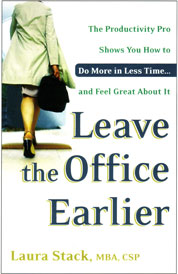
Earlier, The New York Times calls Leave the Office Earlier, "...the best of the bunch." Order this indispensable tool for the overworked and time challenged at Amazon.com and receive 20% off its retail price. More of The Productivity Pro's Resources |
|
Where in the World is Laura? |
|
August September October November December Visit Laura's Calendar On-line for her complete availability. |
|
|
| Letter to the Editor |
|
Hi Laura, Hope all's going well with the business and family. Be proud. You've made it on my on-line Coors Performance Planning System. A couple of the areas of growth I was "challenged" with this year show promising returns. We are required to provide supporting comments for any growth in these areas. Techniques from your course are duly cited as the tools used in a lot of my specific examples. Thank you! As for the tickler file, I've had a hard time implementing it, because I can rarely associate dates to my workload. Hence the "project" files. But then again, not every task belongs to a project. Therefore I had stacks of "to do" papers piling up next to my neatly organized project files. When I tried forcing them into a date system, I either spent too much time shuffling them forward or I lost track of them as I passed them by. My present day solution: combine my Master Task List (MTL) with an alpha file, rather than a date file. Next to the item on the MTL I jot down the letter I filed the info under. As I add that task to whatever day I specifically plan on working on it, I know where the info is. If someone asks about it, I can find it on the MTL and quickly pull up any info. So far so good. Donna B. |
|
(C) 2004 Laura Stack, MBA, CSP. All rights reserved. Portions of this newsletter may be reprinted in your organization or association newsletter, provided the following credit line is present: "Laura M. Stack, MBA, CSP, is "The Productivity
PRO!"(R),
helping people leave the office earlier, with less stress, and more to show for
it. She presents keynotes and seminars on time management, information overload,
and personal productivity. Contact Laura at 303-471-7401 or Laura@ |
| Subscription Information |
|
"The Productivity PRO!"� news"E"letter is a monthly electronic newsletter distributed to our clients, human resource personnel, and colleagues to help them leave the office earlier, with less stress, and more to show for it! To subscribe, go here. If you no longer wish to receive the newsEletter, follow the instructions at the bottom of this post. Don't miss an Issue: Share it: |
|
Contact Laura: |
| Feature Article |
|
How to Leave Effective Voicemail Messages Handling voicemail is a constant productivity challenge. Rambling, three-minute voicemail messages with no organization make me crazy! Don't you wish there were some voicemail "rules" out there, that people had to follow? So I'd like to offer some ideas on how to leave effective messages and avoid wasting the time of the recipient. Perhaps you can share this with the folks you interact with frequently, so you can at least create an informal agreement about the effective use of voicemail.
Lastly, just follow common courtesy and etiquette.
Don't leave someone a voice mail saying, "I'm going to page you," because
it creates double work. Just do it! If you choose not to leave a message after
all, hang up before the greeting ends, so that the message won't actually be recorded.
It's annoying to waste time listening to dead air, only to discover there's no
message. Also, it seems obvious, but don't carry on a conversation with another
person while leaving a voice mail message. You might think it makes you sound
important and busy, but it's rude and annoying for the recipient. Don't leave
voicemail messages while on the speakerphone, because it's very hard to understand.
Don't leave messages when your cell phone reception is going in and out. Of course,
watch your language. And if you run into someone in the hallway, PLEASE don't
ask, "Did you get my message"? Make it a productive day! � |
|
|
| What's Your PQ Join the hundreds who've already discovered their Productivity Quotient by taking the PQ quiz here. This assessment is the heart of Leave the Office Earlier and will provide valuable insight in helping you improve your own productivity AND quality of life. Receive a free, downloadable copy of 111 Ways to Increase Your Personal Productivity along with your score and a brief evaluation. |
|
|
| Hot Links |
|
ORGANIZING beats the clock. Louisville Courier Journal - Louisville, KY, USA. Time-management and productivity experts say business owners should add more organization to their day and prioritize what they need to get done. -more- FLEXTIME loses some muscle; `time famine' gains strength. Chicago Tribune - Chicago, IL, USA. Employees are suffering, and not always silently," according to Laura Stack, author of "Leave the Office Earlier" (Broadway Books, $12.95). -more- TELEWORK Fuels Productivity and Cuts Costly Gas
Consumption. TMCnet - USA. Gas prices are not only testing our wallets these days,
they're also testing the way we work. |
|
|
| Words of Wisdom |
|
Imagine if every Thursday your shoes exploded if you tied them the usual way. This happens to us all the time with computers, and nobody thinks of complaining. - Jeff Raskin The real danger is not that computers will begin to think like men, but that men will begin to think like computers. - Sydney J. Harris Natives who beat drums to drive off evil spirits are objects of scorn to smart Americans who blow horns to break up traffic jams. - Mary Ellen Kelly |
|
|
| Featured Seminar |
|
DISCIPLINE: Put Your Nose to the Grindstone! Description: Discipline refers to your ability to maintain consistent, productive behavior. Are you persistent in completing your high priority tasks, without getting sidelined by menial activities? Do you put your nose to the grindstone each day, or do you only work hard when you're in the mood? Do you have a set of "rules" for yourself that govern your behavior and activity? Many people tell some form of, "I do really well one day, but then I get into a funk and can't get back on top of things." Sure, everyone has an "off day." But if you're self-disciplined, you exhibit consistent focus in your day-to-day work, even if you don't feel like it. Course Objectives
*Schedule this seminar by September 1, 2004 (to be held on ANY date) and receive a 10% discount for mentioning this newsletter. |
 Laura Stack, MBA, CSP Publisher |
| Message from Laura |
|
Greetings! I hope you're enjoying the last few weeks of summer. If you haven't taken time off to play yet, get moving! Soak up the sunshine before it's gone. Interested
in a Public Seminar? Please go to The Productivity Pro Public Seminar Survey to complete the short, 4 question form (< 2 minutes). Thank you!. We'll announce the results and the winner of the registration in the next news"E"letter.
|

| Time Tips & Traps |
|
Handling large electronic files. I've been frustrated lately trying to send large files electronically. My email system won't allow me to send a file larger than 5 MB in size, which causes problems when sending audio recordings and PowerPoint files with large graphics. So my buddy Dave Paradi, a PowerPoint expert, gave me a couple wonderful solutions: > DropLoad.com allows you to sign up for a free account and place a file on their servers up to 100MB in size! It then emails a link to the recipient, notifying that person it's available for download. This saves time and money, because it replaces burning a CD and sending it through the mail. > If you'd rather email a large PowerPoint file, you first have to reduce the file size. Irfanview.com is a free utility that allows you to resize and resample digital pictures. When the pictures are smaller, your slides will run faster when presenting. The file can also be emailed, and it will take up less space on your hard drive. Assigning Tasks in Outlook. If you use Outlook, you can DIRECTLY place assignments in the recipient's Task list, rather than sending an email. If you delegate tasks via email, the recipient then has to move the email to the Task list. Why not just send it as a Task? It's easy to delegate a task in Outlook. Here's how: - Select File | New | Task Request. TIP: Delegate an existing task on YOUR list by opening the task and selecting "Assign Task" from the Actions menu option. |